Prove visibility and bill the merchant
Freeze the monthly statement, hand the proof to the merchant through a revocable link, and know where collection stands.
Once the inserts are running — see List a partner and run their insert — what remains is showing the merchant what their insert produced. That is the job of the Statements tab on the Local partners page: “The frozen monthly document you hand to your merchants: proven visibility, never an amount.”
Two separate things, not to be confused: the statement proves visibility and carries no money at all; collection is the money, and it lives in another tab.
Freeze the month's statement
Pick the partner, then the month
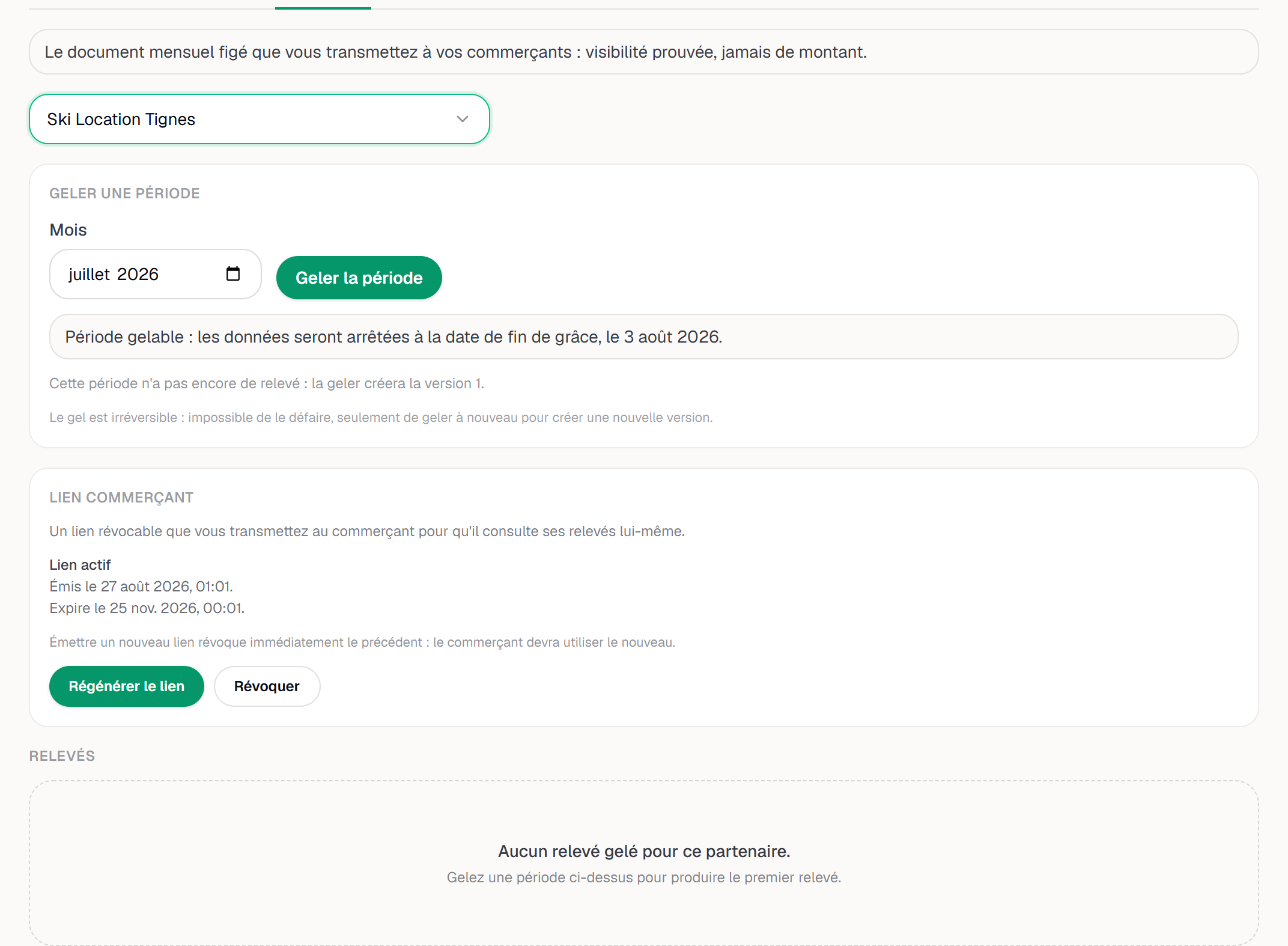
Statements tab, Choose a partner selector. The Freeze a period card then asks for a Month. Each partner has their own statements: there is no global one.
Wait for the grace window to close
A month only becomes freezable after a grace window that runs to the 3rd of the following month, Paris time. Before that date the screen refuses and explains why: scans and referrals keep being counted until then, to give late batches of measurements time to arrive.
Two other refusals exist, just as explicit: the period precedes the start of that partner's programme, or that partner has no placement and no measurement yet. In both cases there is nothing to close out — it is not a failure.
Freeze the period
Freeze the period produces version 1 of the document. The screen warns you before the gesture: “Freezing cannot be undone: the only way back is to freeze again, which creates a new version.”
The statement then carries its fingerprint, shown under the Checksum label — a SHA-256 signature of the frozen content. That is what lets anyone verify that a PDF they received has not been altered.
The Statements tab: freeze a period, then share the merchant link. Hand the document over
Download PDF produces the document given to the merchant. On screen, the detail carries the Frozen statement — cannot be edited heading and the data cut-off date.
Freezing the same period again after a change creates a new version without touching the previous one. Freezing again when nothing moved creates nothing at all: the screen answers that the document remains at the version already issued.
What the statement says, and what it never will
The Visibility funnel lines up four rows: Stays with this placement live, Measured scans, Referrals, and Impressions — reserved. That last row is not a zero: impressions are measured by the in-home screen but not yet folded into statements, so the row stays reserved rather than wrongly counted.
These figures are floors, and the screen says so: “These are floor figures: actual visibility is at least this much, never less.” Some measurements are excluded from the count, with their reason — outside the placement window, placement removed between the page opening and the measurement, or over the daily anti-inflation cap.
A correction never rewrites a frozen statement: it is added under Adjustments, dated and justified, and the original document stays readable exactly as it was.
The merchant link
The Merchant link card issues “a revocable link you hand to the merchant so they can view their own statements”. Issue a link shows it in a window titled Merchant link — copy it now.
The merchant opens an address under /r/ followed by their token, with no account and in
their own language. There they read their frozen statements, their funnel and the
fingerprint in full — but no amount: that page only ever speaks of visibility. An
expired, revoked or mistyped link always gives the same not-found page, never saying
which cause applies.
Screenshot to be produced
captures/prouver-et-facturer/02-page-commercant.png
Collecting a period
When it is open, the principle fits in one sentence: “One negotiated period, one amount, one link: the merchant pays by card and the money lands straight in your Stripe account. YStay takes no cut.” Collect a period creates the payment link, which is likewise shown only once.
There is no Refund button, and that is deliberate: “Refunds happen in your Stripe Dashboard: YStay reflects their status here but never triggers them.”
Next
- List a partner and run their insert
- Create and publish your first guidebook — the guest surface where inserts are read and scanned.
- Local partners · TV screens
Updated on