Handle reviews and rate your guests
Reply to the reviews your channels send you, understand why they do not go onto your site, and keep a private rating that never leaves your account.
Reviews gather in the Sales & marketing menu, under Reviews. The page is titled Guest reviews.
One origin only today: the channel review, which arrives from Airbnb, Booking or Abritel/Vrbo and lands on its own, with nothing for you to do. It is yours — you read it, you reply to it, you follow it — but it stays in your console.
The path, screen by screen
Find a review
Two dropdowns at the top of the page: Listing, which stays on All listings, and Visibility, with All reviews, Published and Hidden. Below them, channel pills appear — All, then YStay, Airbnb, Booking, Abritel/Vrbo — but only when a review from that channel sits on the page shown.
With no review at all, the screen shows No review and “Reviews collected from your channels and direct reservations will appear here.”
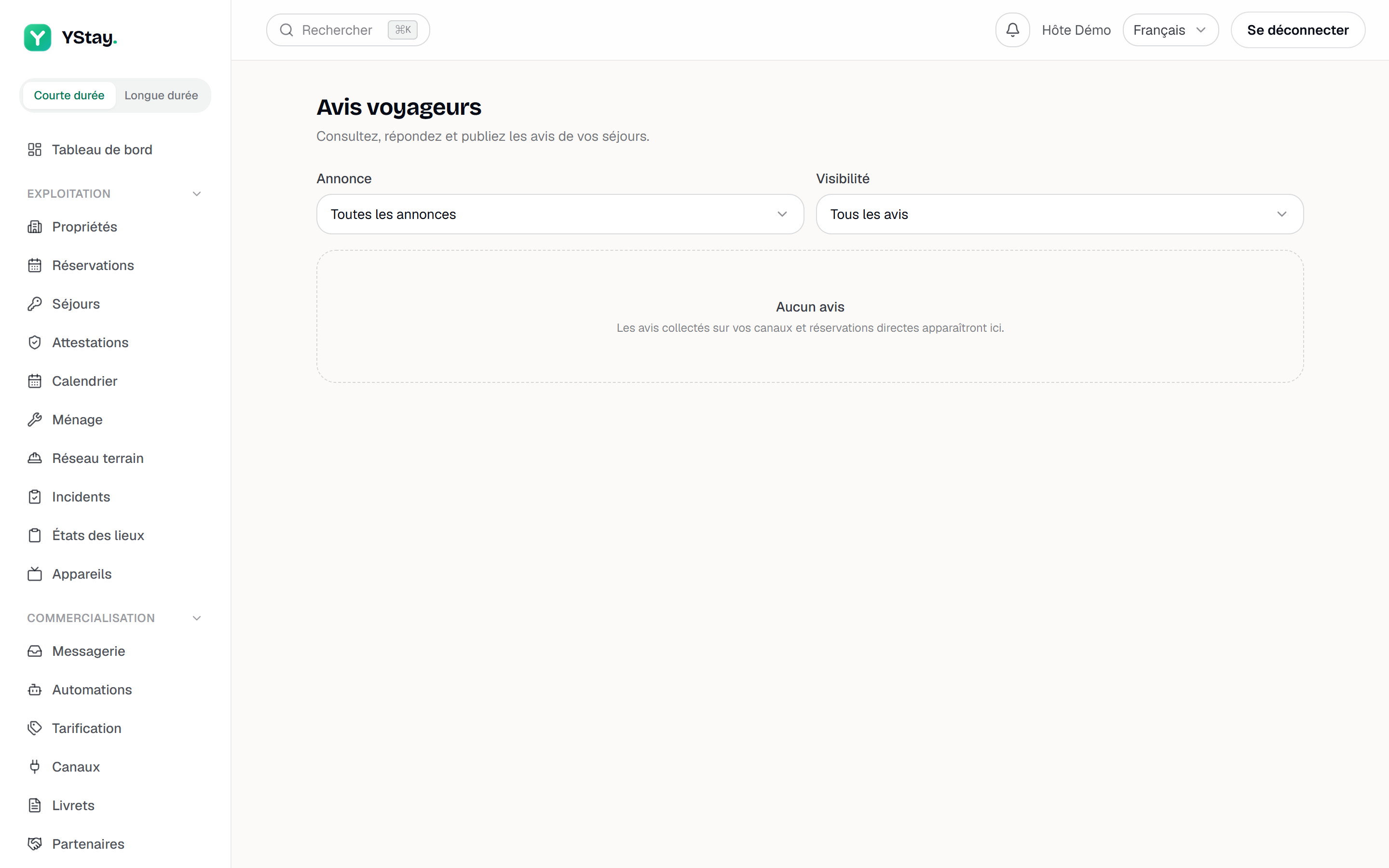
The Guest reviews page and its filters. Reply
Below the review, the Reply field and the button of the same name. Your text appears at once under the heading Your reply, and it goes out to the originating channel in the background: that is where — and only where — a reader will see it, under the review, on the platform.
That trip has states of its own, shown in small print under the reply: Sending to Booking…, then Delivered to Booking, or a failed delivery with a Resend to Booking button (the channel name replaces the one in the example).
Some reviews accept no reply at all: the field is then greyed out and the screen warns “This channel does not accept replies to this review.”
Rate the guest, for yourself
Open a reservation: under the Guest reviews card, Your rating of this guest is something else entirely: “Visible only to you — never shown to the guest.” Five stars, a Private comment (optional), Save rating — and Delete rating if you change your mind. One rating per reservation.
When the guest has stayed before, a banner says so above the stars: Already stayed 3 times · average 4.5★ · last stay on 12/07/2026. That same history is what puts the Returning badge on your reservation list.
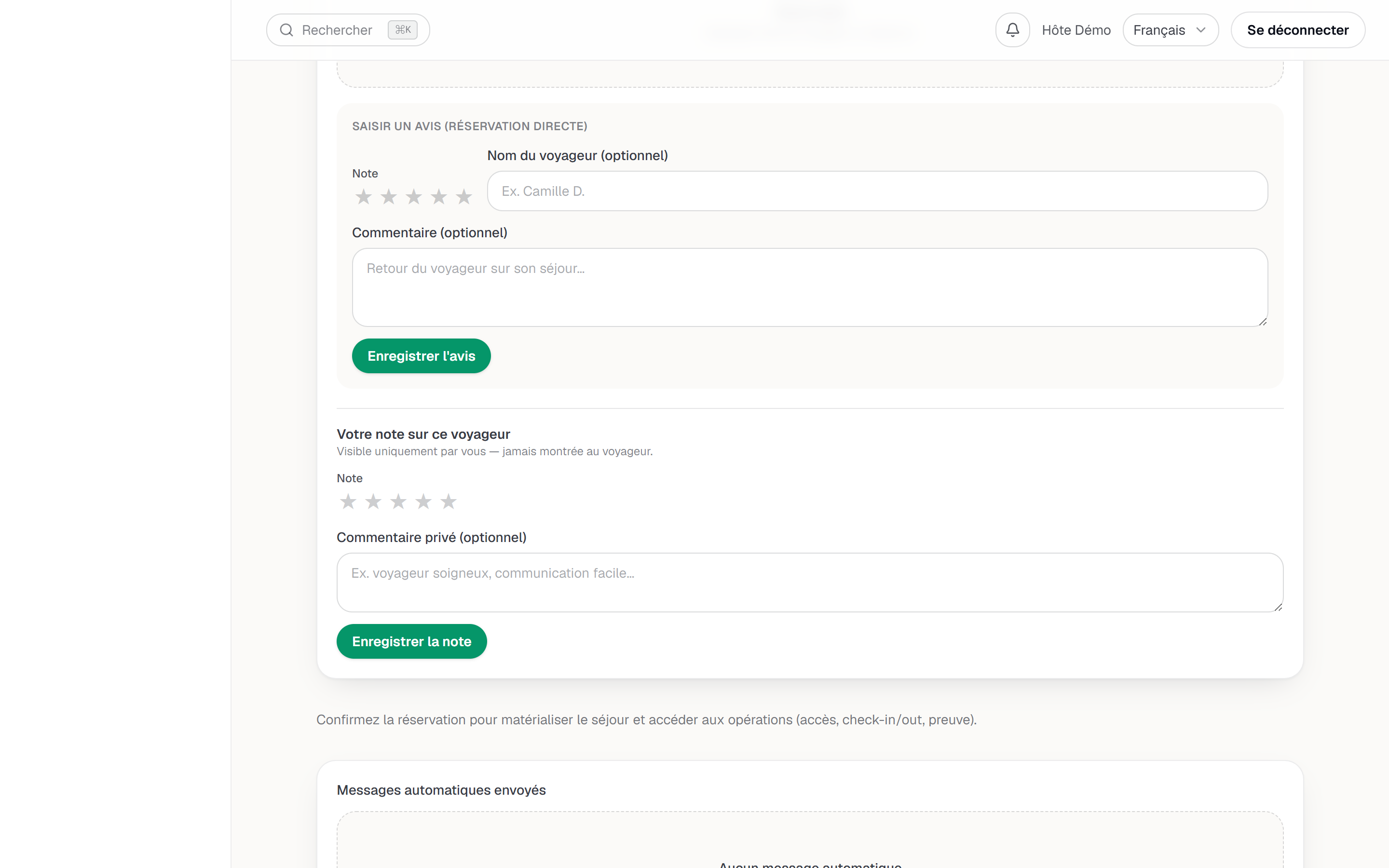
The Your rating of this guest card on a reservation.
Rating a guest on the originating platform
For a reservation that came from a channel and reached the Checked out status, a Review this guest on Airbnb button appears under the private rating, with a countdown such as 12 days left. It is a plain link to the channel's extranet: YStay sends nothing there, and your private rating never travels up. The window shown is 14 days from the scheduled departure date, as an indication — the rule that counts remains the platform's own.
What your public site shows today
No review. The review block of your booking site and the average rating on your listings only pick up reviews collected from guests — a collection that is not open yet. Your channel reviews stay in two places: on this page, for you to read and reply to, and on the platform where they were left.
Next steps
- Take your first reservation and run your calendar — the statuses and channels these reviews come from.
- Reply to your guests (inbox) — the conversation thread, not to be confused with a public reply to a review.
- The other operations guides — the stay, incidents and what comes after.
Updated on