Translate and distribute the listing
Choosing the listing's language, following each translation's status and correcting it by hand, then adding the listing to an already-connected platform from the Distribution card.
Two cards on the listing page prepare its journey beyond your own site: Listing translations, right at the bottom, and Distribution, just after the gallery. Both assume the content is already written — if it is not, start with Description, amenities and listing score.
Translate the listing
Open the Listing translations card
It is titled Listing translations. Its first row, Listing language, says which language you wrote the listing in: that is the original text, the one the other languages translate. French is the default; to change it, pick another language in the selector — each one shows with its flag and name — then click Save.
This setting translates nothing: it only says which language your text is in. It deletes no translation either — the one matching the listing's new language is simply no longer used or offered.
Screenshot to be produced
captures/traduire-et-diffuser/01-traductions.png
Read the language table
Below it, the table lists the languages you can translate, each with its flag and name: the five platform languages — Français, English, Español, Deutsch, Italiano —, the target languages of your booking sites, published or not, and the ones you have already translated, minus the listing's own language. A Site badge marks a language that comes only from your sites.
Each row carries a status:
- To translate — nothing exists yet for this language: travellers see the original text.
- In progress — a translation of this language is being prepared; travellers keep seeing what was displayed until now.
- Translated — the translation matches the current original text.
- Out of date — the original text has changed since the translation. It stays displayed to travellers until it is updated.
- Edited by hand — you entered or corrected this translation yourself: it is never overwritten. Translations you had already entered in the old card are carried over under this status.
Enter or correct a language
Edit, on a language's row, opens the editor. It has six fields — Title, Summary, The space, Access, The neighborhood and Good to know — shown in two columns: on the left your original text, read-only, under the label Reference followed by the listing's language (for example Reference (Français)); on the right the field to fill in the translated language.
Save saves the six fields at once, as long as at least one of them is filled in (“Fill in at least one field.” otherwise); Cancel closes the editor and keeps nothing. Under the fields, a note reminds you: “Empty fields fall back to the original text.” — a field left empty will therefore show your original text to the traveller, not a hole. Once saved, the language moves to Edited by hand.
Start over
On a language that has a translation, Reset removes it, after a confirmation: the row goes back to To translate and travellers see the original text again. The other languages are not touched.
Distribute the listing
Find where accounts are connected
The Distribution section states upfront that connecting does not happen here: “Connecting your accounts (Airbnb, Booking.com, Vrbo) and mapping happen on the Channels page, through a guided flow per platform.” The Manage channels button takes you there directly.
Add the listing to a platform
Distribute on a platform unfolds the choice: Choose a platform, then three chips — Airbnb, Booking, Vrbo. The chip label says “Booking” where the card text says “Booking.com”: it is the same platform.
If the channel is connected, the listing is prepared there and a message confirms it. Otherwise, the warning panel says it plainly — “No listing was distributed” — and offers the Connect Airbnb in Channels link, named after the platform you picked.
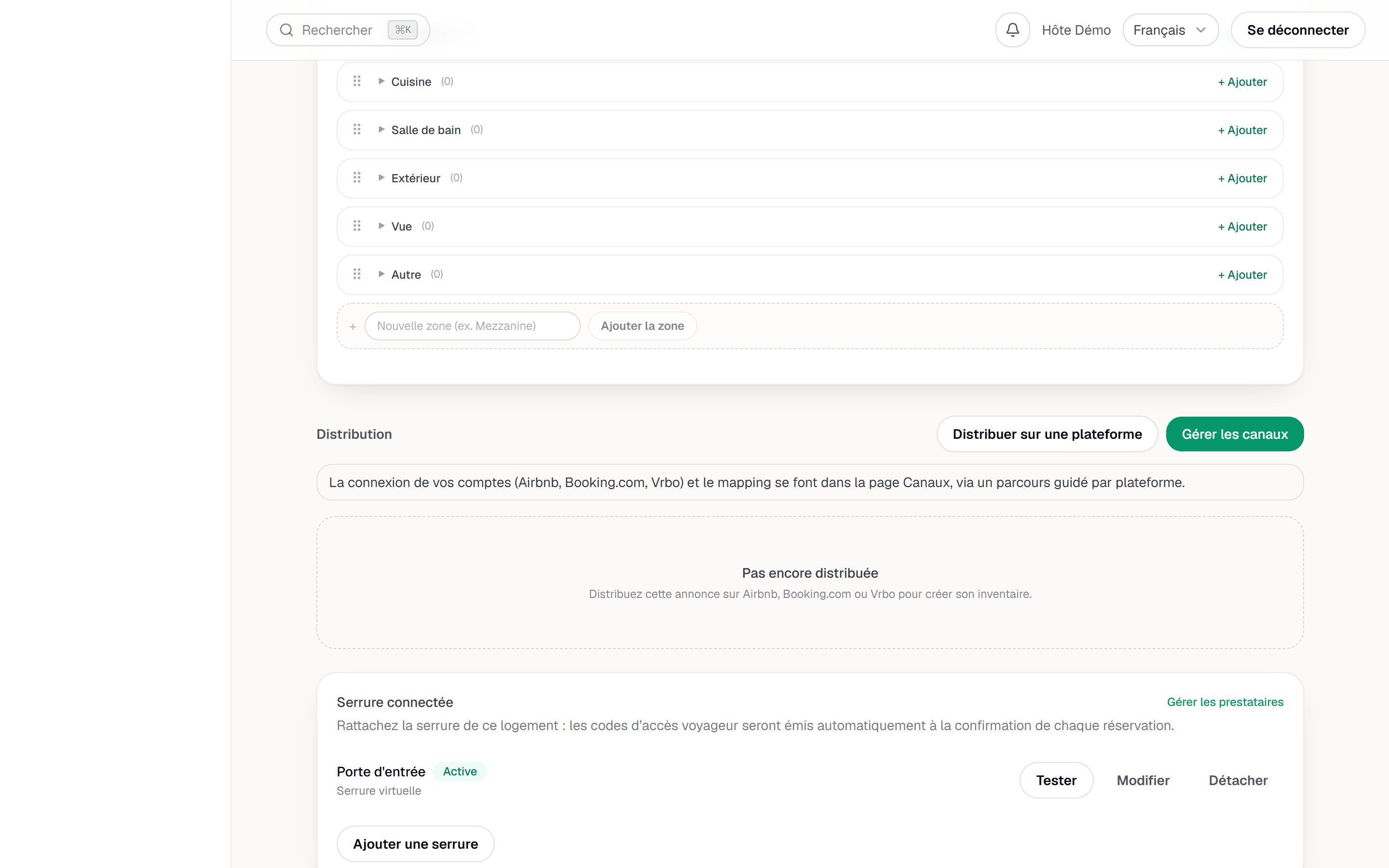
The Distribution card and the platform picker. Follow the state of the distribution
Under the platform picker, every existing distribution becomes a row with a badge: To map while the match with the channel's own listing is not made, Distributed once the listing is in place, Synced when data flows, and Conflict when something diverges and needs your call.
As long as no row exists, the section stays on Not distributed yet.
Next
- Connect your distribution channels — the guided flow, platform by platform.
- Set your rates — what the channels will pick up from your prices.
- Dynamic pricing (PriceLabs) — the floor above, once distribution is in place.
- Listings — back to the whole set of cards on the listing page.
Updated on