Reply to your guests (inbox)
One conversation per reservation, replies relayed back to the channel they came from, and an AI draft only you can send.
The inbox gathers the exchanges of all your stays in one place, wherever they came from. It lives in the Sales & marketing menu, under Inbox, which only appears to members whose access includes Messaging & automations (Lecture); the account holder always has it.
One principle governs everything else: one conversation per reservation. There is no free-floating thread with a guest, and no pre-booking discussion — every conversation is attached to one specific stay, and its header links back to View reservation #… (a link reserved for members who also have Stay operations for reading). A conversation is born with its first message: the guest writes from their guest space, or their message arrives from Airbnb, Booking or Abritel/Vrbo.
The path, screen by screen
Open the inbox
In the side menu, under Sales & marketing, open Inbox. The page states its promise straight away: “All your guest conversations, in one place.”
On an account with no exchanges yet, the screen shows No conversation and the hint “Exchanges with your guests will appear here.”
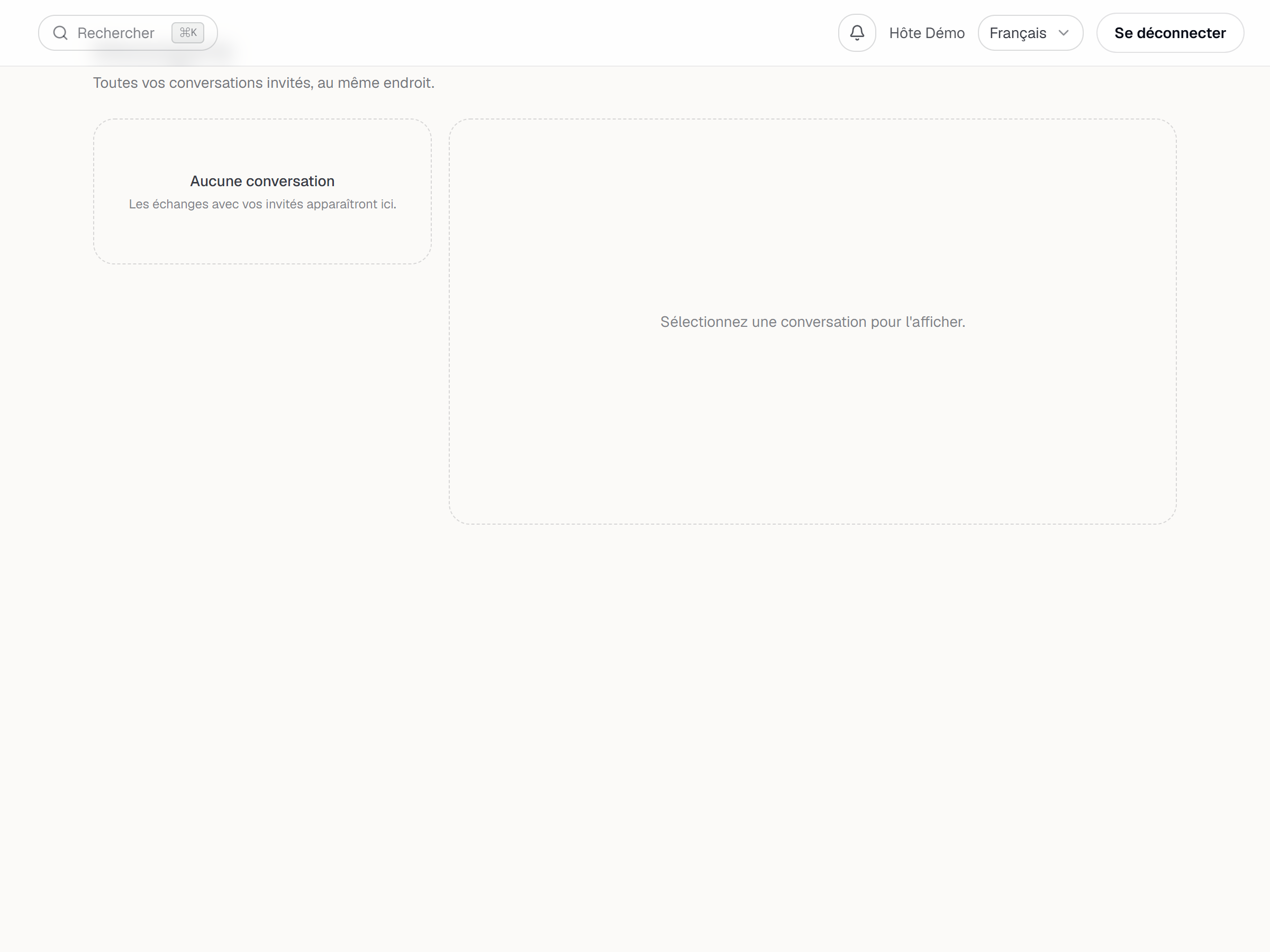
The inbox before any exchange: the No conversation state. Find the right conversation
The left column lists the threads, most recent first. Two filters are always there — All and Unread — and channel pills appear only when a thread from that channel exists: YStay for a direct reservation, then Airbnb, Booking, Abritel/Vrbo. The Search guest, subject or listing… field filters every conversation, not just the ones currently on screen.
Until a thread is open, the right column reads Select a conversation to view it.
Once a conversation is open, the page address follows it: it becomes
/inbox/followed by the reservation's identifier. The browser's Back button therefore returns to the previous screen — the list, or the conversation you were reading just before — and that address can be copied as is and sent to a teammate.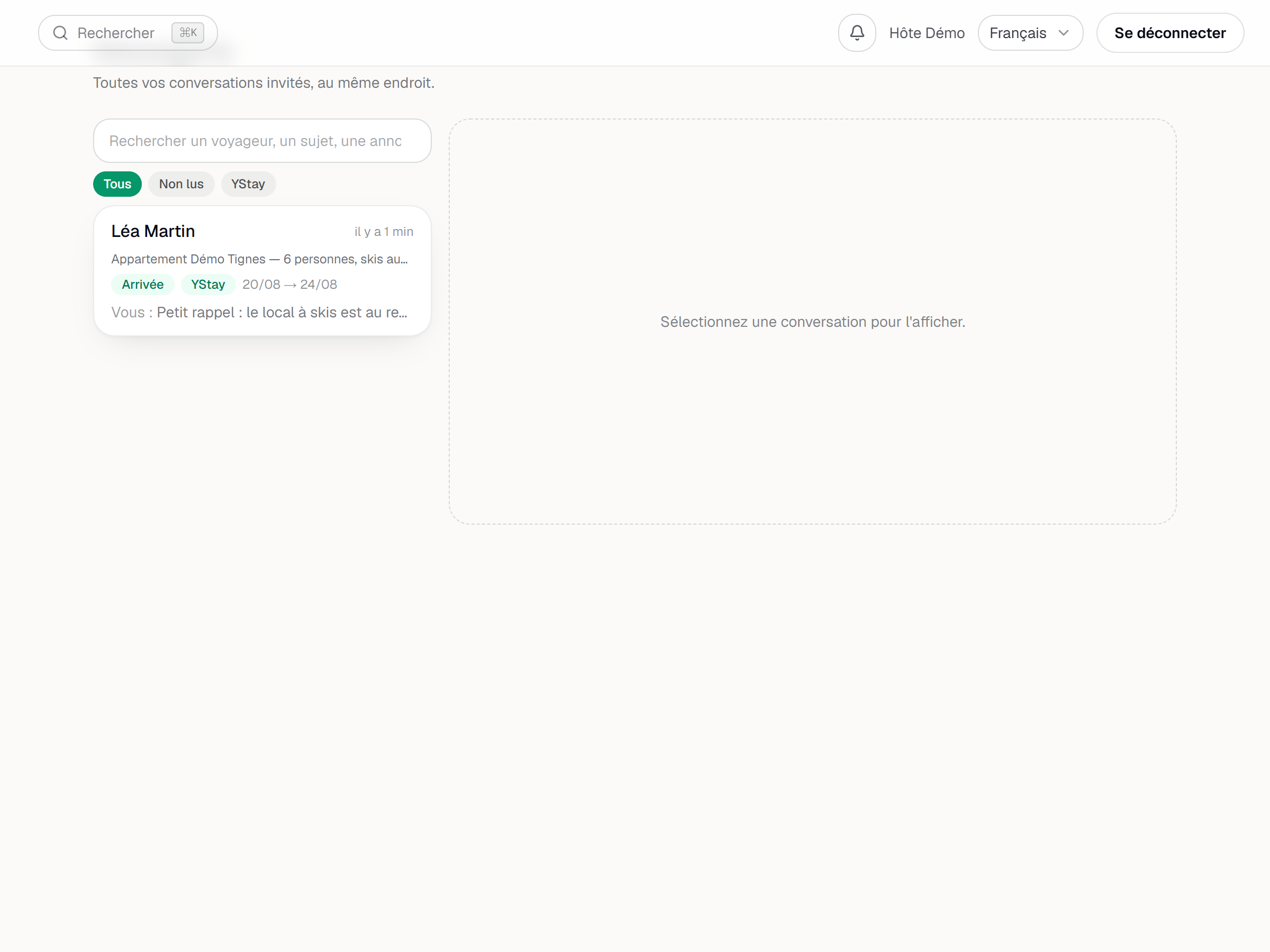
The conversation list: the All / Unread filters and the channel pill. Reply to the guest
An open thread shows the guest's messages on the left, yours on the right, split by day. At the bottom sits the composer: Write a message…, the Send button and the Ctrl/Cmd + Enter to send shortcut. Insert a template… drops a prepared text into the composer with its tokens already filled in — you read it over before sending. Writing to the guest requires the Écriture box of Messaging & automations: with Lecture alone, the conversation can be read, but the composer is not offered.
On a conversation that came from a channel, your reply is also pushed back to that channel in the background. A quiet status then appears under your bubble: Sending to Airbnb…, then Delivered to Airbnb or Not delivered to Airbnb — consider following up with the guest (the channel's own name replaces the one in the example).
An open conversation keeps itself up to date: it asks the server every eight seconds, and again as soon as you come back to the tab after leaving it. Nothing has to be reloaded to see the guest's reply arrive. The refresh goes to sleep while the tab sits in the background and starts again when you return; the list on the left refreshes at a slower pace.
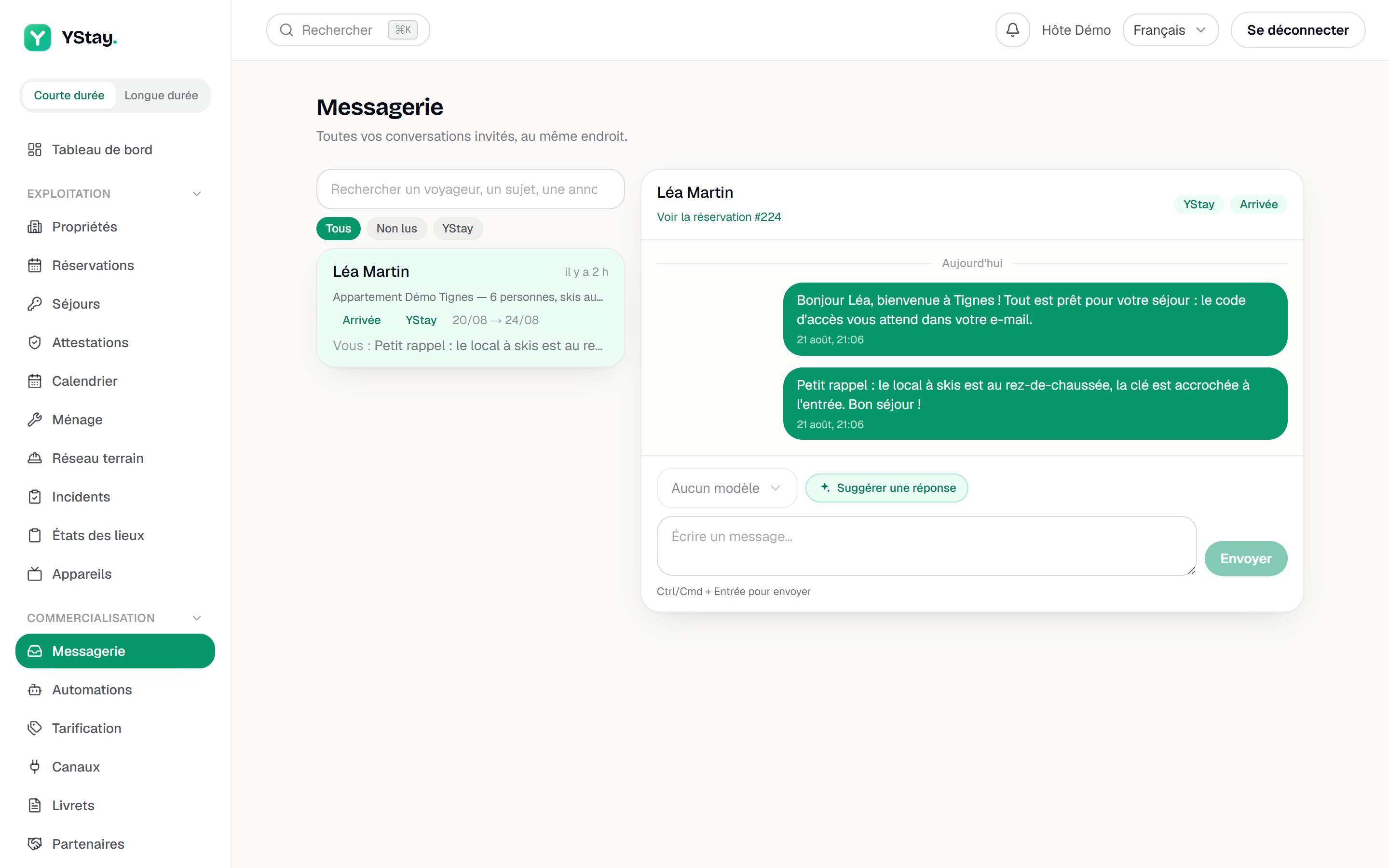
An open conversation: the messages and the send composer. Have the AI prepare a draft
Above the composer, Suggest a reply asks the assistant for a draft based on the conversation at hand. The button turns into Drafting…, then the proposed text fills the composer — it is yours to read, correct and send with Send. The counter next to it — for instance 3 / 200 AI suggestions — tracks this month's usage. Asking for that draft falls under the Écriture box of Messaging & automations, just like sending.
The assistant receives two distinct things. First, bounded reservation fields: the guest's first name only, the check-in and check-out dates and times, the number of guests, the title, type, city and address of the unit, your arrival notes and the outstanding balance. Those fields never carry the email address or phone number from the guest record, their surname, or any payment detail. Second, the last ten messages of the thread, passed on as they are: their text is neither filtered nor redacted. If the guest typed their phone number or their address into a message, that information travels with the rest.
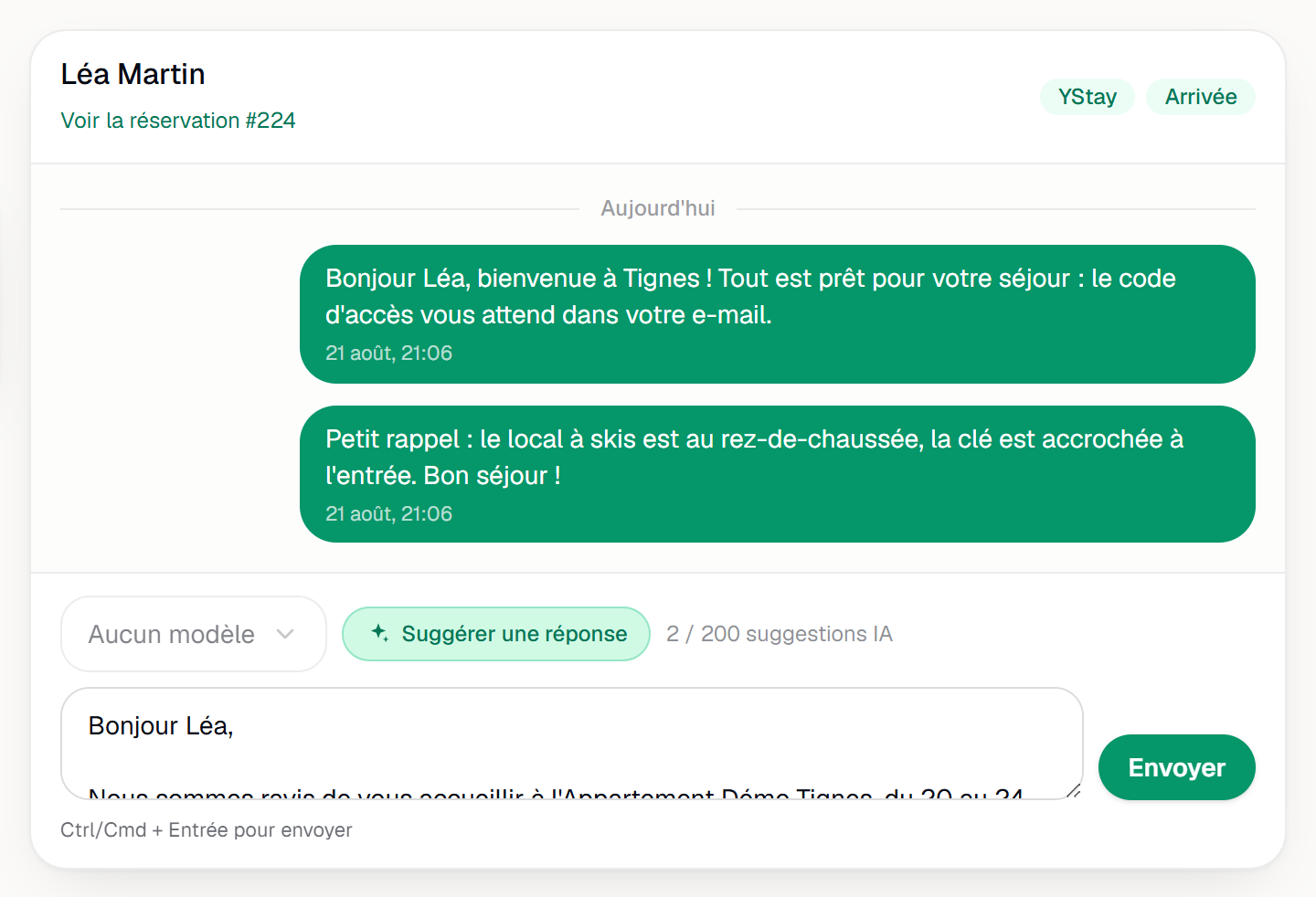
The Suggest a reply button and the state it shows.
Opening a conversation from elsewhere
Because every conversation has its own address, you can land on it directly, without going through the list:
- From the Notifications feed. A new-message notification opens the conversation concerned, not the list.
- From the calendar. In a reservation's side panel, under Messages, Open conversation leads straight to that stay's thread.
- From the reservation page. The Contact → link, at the top of the Guest block, opens the same conversation.
- From a link you received. A conversation's address can be shared between teammates, and links already sent still land in the same place.
The entries in the calendar and on the reservation page are reserved for whoever has the Lecture box of Messaging & automations: Open conversation, Contact → and the Automated messages sent block on the reservation page do not appear for other members.
What the guest gets on their side
- An email for every message you send, if their address is known. That is the guaranteed channel: it goes out whatever device the guest has, carrying the conversation's subject.
- The conversation in their guest space, where they can reply at any time — including after checkout, about a forgotten item or a deposit.
- A notification on their phone, only if they installed the app and claimed their reservation. It does not carry the text of your message.
- Your reply inside the original channel for an Airbnb, Booking or Abritel/Vrbo reservation, subject to the delivery status described above.
There is no public link to a conversation: everything goes through the guest space or the channel.
What tells you a message has arrived
- A notification in the dashboard's Notifications feed, at the rate of one entry per unread conversation: further messages refresh that same entry instead of stacking ten of them. Clicking that entry opens the conversation concerned. The account holder always sees that entry; a team member only sees it if their access includes Messaging & automations.
- A notification on your phone through the field app, when the signal first appears only, and without the message excerpt — it opens the reservation page, which the app reserves for members who also have Stay operations (reservations, check-in/out) for reading (without that access, it shows Access denied). The account holder always receives it; a team member only receives it if their access includes Messaging & automations (see Invite your team and set their roles).
- No email is sent to you for a guest message: the inbox and the notifications feed are the only two places where the signal lives.
When something looks wrong
- The expected conversation is not in the list. Its thread does not exist yet — usually because no message has been exchanged. Check the active filter too — Unread and the channel pills hide everything else.
- The thread is open but empty. The screen shows No message and Start the conversation below. — write the first message.
- A conversation link leads nowhere. The page shows This conversation can't be found.: the link is outdated, or the reservation no longer belongs to the account. Back to conversations returns to the list, where search finds the thread again if it still exists.
- A “Refresh failed…” banner. The automatic update did not go through; the messages on screen are those of the last successful update, and nothing has been lost. The thread picks up again on its own once the connection is back.
- A Not delivered status. The channel refused the reply or never confirmed it, and the platform does not retry on its own. Send your message again, or reach the guest another way.
- A banner instead of an AI draft. Four possible messages, none of them blocking: “AI reply suggestions are included in paid ShortStay plans.” (with the View plans link), “You've reached your AI suggestion quota for this month.”, “The AI assistant is temporarily unavailable. Please write your reply manually.” and “The suggestion didn't come through. Try again or write your reply manually.” In all four cases the composer stays usable.
- An access code appears as ••••. An automated message that contains the Access code token carries the real code to the guest, but the conversation and the list preview mask it for anyone without the Écriture box of Stay operations (reservations, check-in/out), and for the YStay team when it works on your account. The account holder sets that box under Manage access (see Invite your team and set their roles); the token is described in Automate your guest messages.
- Access is denied. The Access denied screen and its message “Your role doesn't allow access to the inbox. Contact the account owner.” point at a member whose access does not include Messaging & automations for reading; the account holder sets that box under Manage access (see Invite your team and set their roles). The refusal comes from the server, not just the interface: it applies to the list as much as to a conversation opened by its address.
Turning this feature off
The account holder can turn off Reply suggestions to guests for the whole account, from the AI features page (My account page): the Suggest a reply button then no longer sends anything to the AI provider, and the composer stays available for a reply written by hand. The area concerned shows “This AI feature is turned off for your account.” and, for the account holder, the Turn back on in AI features link. Details: AI features: turning them on and off.
Next
- Take your first reservation and manage your calendar — where the reservations these conversations depend on come from.
- Create and publish your first guidebook — answer once and for all the practical questions guests ask here.
- Listings — complete and distribute the listings that feed the inbox.
- Automate your guest messages — the four triggers that write for you, and what they will never do.
- Handle reviews and rate your guests — the note left after the stay, and the reply you give it.
Updated on